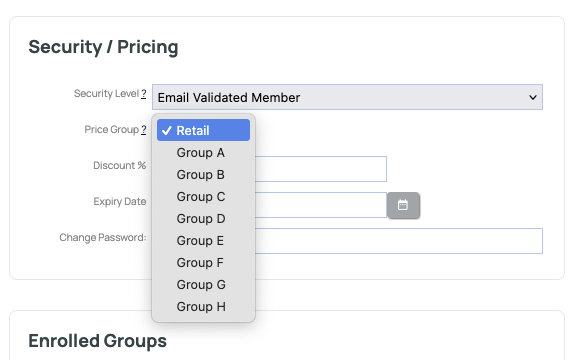
If you have set up different price groups for your wholesale or other customers you can assign a member to the relevant group via their member record.
Setting Price Groups
Products and Product Variations can have different pricing applied via Price Groups - there are 8 price groups available - price groups A - H.
Note: Price Group titles can be reworded via the DESIGN > REWORD PROMPTS area to something more meaningful.
Members must login to get their custom pricing.
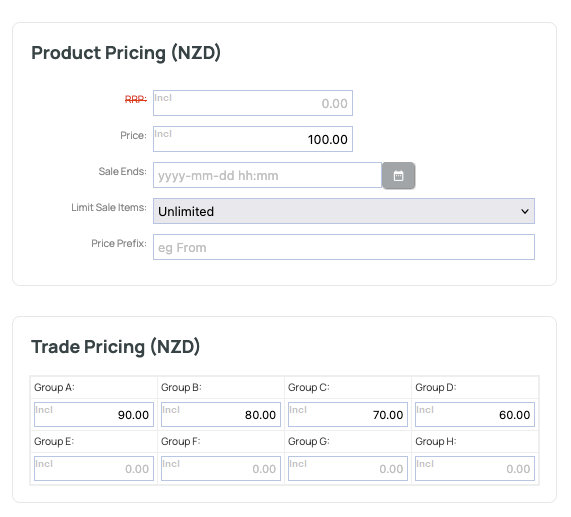
An example of Price Groups A - D showing different pricing for the product. A member must be set to the relevant group in their member record to receive the price.
Specifiying the Price Group for the member.
You can set the price group for a member via the MEMBERS area.
- Find the member record you wish to update.
- Select the relevant price group from the SECURITY / PRICING area on the right hand side.